
THE EXOLET BUYER’S GUIDE
Beam-to-TV Buyer’s Guide for Service Providers
Compare how providers prepare, share, and follow up on visual consultations with residents.
For local businesses, service professionals, and community teams evaluating shared-display tools.
1. Start with the provider’s desktop workflow
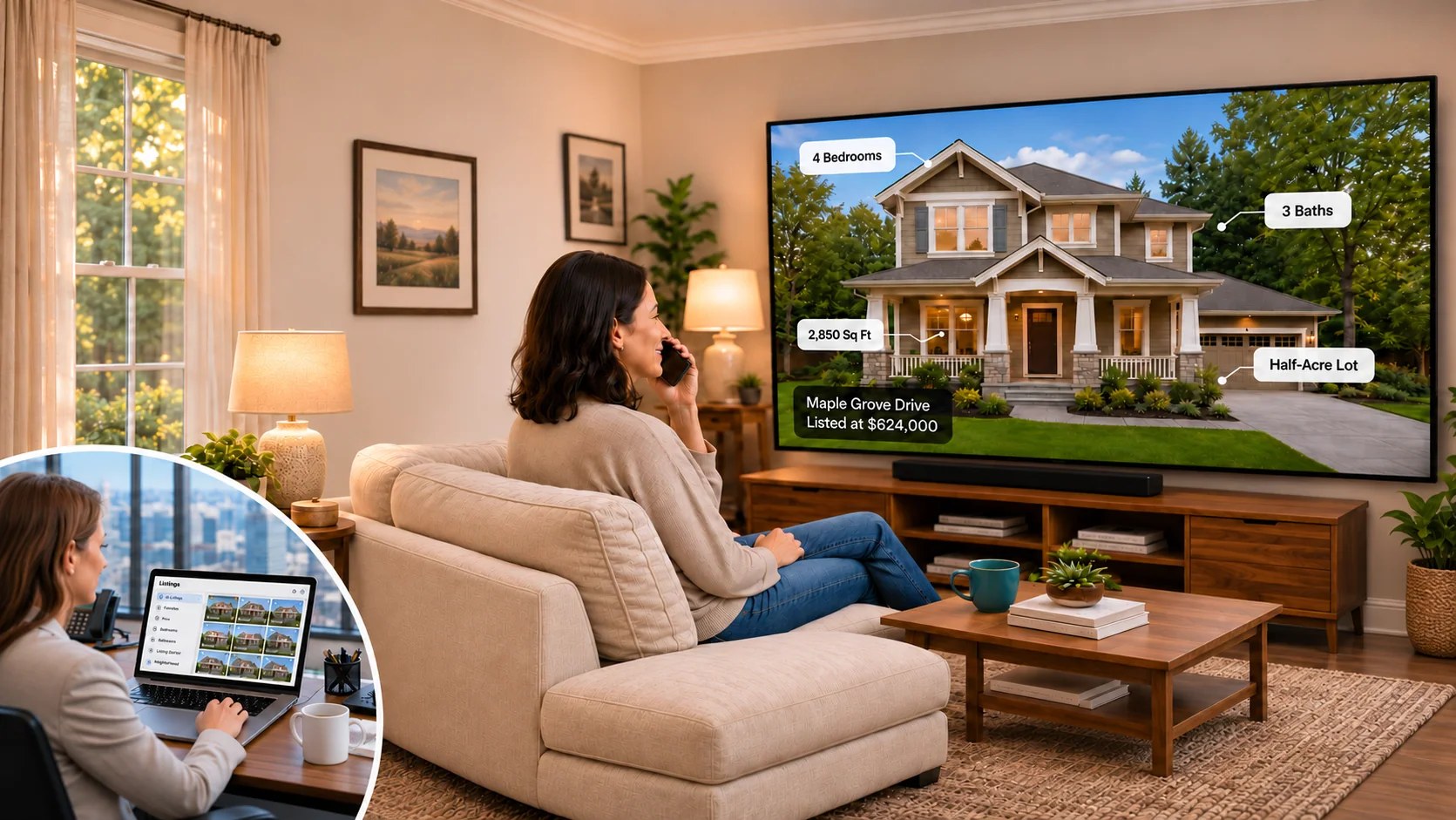
Many service providers keep their photos, samples, plans, and short videos on a laptop or desktop computer. Bring your own device and a representative library to the demonstration.
- Can the provider prepare and beam materials from Windows or macOS? Is desktop software required, or does the workflow use a browser or another device?
- Is there a desktop content management system for a large local library? Can staff organize, search, preview, and update slides and clips without repeatedly uploading or recreating them?
- Where are files stored—locally, in the cloud, or both? Ask about capacity, synchronization, access permissions, and whether the internet is required.
- Can the provider select the next item quickly during a call and return to a previous item without interrupting the conversation?
2. Verify photos, slides, and video clips on the receiving TV
Do not assume that a file that opens on the provider’s computer will appear or play on every receiving device. Test representative material on the actual TV and player.
- Can the receiving display show photos and slides as well as play short video clips? Which image and video formats, resolutions, and file sizes are supported?
- What is the maximum video clip length? Are there limits on upload size, storage, number of clips, or session duration? Ask for written limits and test a clip near the intended length.
- Does video include audio on the receiving TV? Can the provider pause, replay, and move to the next item? What happens if a format or codec is unsupported?
- How are portrait and landscape materials displayed? Do images remain readable from the resident’s seat?
3. Test resident authorization and device support
Ask the provider to show the actual connection and end-of-session steps, including what the resident sees and controls.
- How does the resident grant temporary access? Does a code expire, and can the resident stop or revoke a session? What happens after inactivity?
- Which TV platforms, models, and operating-system versions support receiving shared photos and videos? Check installation and each feature separately on intended equipment.
- Can a resident connect without technical assistance? What is required on each side, and does either person need an account, additional app, or subscription?
Exolet’s introductory example shows a resident granting temporary access with a code; it describes the session expiring after 10 minutes of inactivity. Confirm the current setup and supported devices in a demonstration.
4. Walk through an actual consultation
- Can the provider preview the item before it appears on the resident’s TV? Can they share selected content without exposing unrelated files or their entire desktop?
- Can both people discuss the same details while on a phone call? Is it clear when the display is sharing and when the session ends?
- How are interruptions, slow connections, reconnecting, and unsupported content handled? Is help available to both parties?
5. Ask what happens after the session
A useful consultation may lead to a follow-up. These are questions to ask each vendor; do not assume recording or recap features are included.
- Does the system record which slides, photos, or clips were shared, or store the content itself? Can either participant see or correct the record?
- Can the provider offer the prospect a copy of the shared materials or a session recap? Can the provider review and edit it before sending, and choose what is included?
- How is the prospect’s consent and contact information collected? Are follow-ups sent only with the appropriate permission? Can participants decline or request deletion?
- What are the retention period, export options, delivery methods, storage limits, and any additional fees?
6. Compare privacy, support, and total cost
- Who can initiate, authorize, see, or end a session? What data is logged, who can access it, and how long is it retained?
- What safeguards protect personal photos and provider materials? Ask how access is restricted, how staff permissions are removed, and how incidents are handled.
- What are the costs for provider seats, receiving devices, storage, video, setup, support, and any optional history or follow-up features? Request a written quote and terms.
- What help and training are included? How do customers export their materials or stop the service?
7. Give each provider the same demonstration
- On a provider laptop, find and preview several items from a representative library.
- Have a resident authorize access on the intended TV and player. Show what each person sees and how the resident can end the session.
- Share photos or slides, then play a representative short video with audio if offered. Record the clip length, formats, devices, and any limits.
- Switch between items while on a call, then end the session and demonstrate timeout or revocation where supported.
- Ask what, if anything, was recorded and demonstrate any available follow-up, including consent and review before sending. Record unsupported or untested features honestly.
Provider comparison checklist
Print this page or save it as a PDF. For each provider, record Yes, No, Add-on, or Not demonstrated, with notes about the device, limits, evidence, and costs.
| Criterion | Provider A | Provider B | Provider C |
|---|---|---|---|
| Windows desktop workflow demonstrated | ________________ | ________________ | ________________ |
| Mac desktop workflow demonstrated | ________________ | ________________ | ________________ |
| Desktop management of a large local slide and video library | ________________ | ________________ | ________________ |
| Search, preview, and switching materials demonstrated | ________________ | ________________ | ________________ |
| Receiving TV shows photos and slides | ________________ | ________________ | ________________ |
| Receiving TV plays video clips and audio | ________________ | ________________ | ________________ |
| Maximum clip length, file size, and formats documented | ________________ | ________________ | ________________ |
| Receiving device and operating-system compatibility tested | ________________ | ________________ | ________________ |
| Resident temporary authorization and revocation demonstrated | ________________ | ________________ | ________________ |
| Inactivity timeout and reconnection behavior documented | ________________ | ________________ | ________________ |
| Provider can share selected content without exposing unrelated files | ________________ | ________________ | ________________ |
| Session history or recording availability and retention explained | ________________ | ________________ | ________________ |
| Prospect follow-up materials or recap demonstrated | ________________ | ________________ | ________________ |
| Follow-up consent, review, and delivery explained | ________________ | ________________ | ________________ |
| Privacy, support, storage, and total costs documented | ________________ | ________________ | ________________ |
Check the resident’s receiving device
A session requires a compatible receiving device. For each provider, check the status after testing the resident’s actual device: Available / Installed and tested / Not available / Not tested. Record the model, operating-system version, region, and whether both photos and video clips work. App availability alone does not establish Beam-to-TV support.
| Resident device | Provider A | Provider B | Provider C |
|---|---|---|---|
| Roku | ☐ Available ☐ Tested ☐ Not available ☐ Not tested | ☐ Available ☐ Tested ☐ Not available ☐ Not tested | ☐ Available ☐ Tested ☐ Not available ☐ Not tested |
| LG Smart TV | ☐ Available ☐ Tested ☐ Not available ☐ Not tested | ☐ Available ☐ Tested ☐ Not available ☐ Not tested | ☐ Available ☐ Tested ☐ Not available ☐ Not tested |
| Samsung Smart TV | ☐ Available ☐ Tested ☐ Not available ☐ Not tested | ☐ Available ☐ Tested ☐ Not available ☐ Not tested | ☐ Available ☐ Tested ☐ Not available ☐ Not tested |
| Apple TV | ☐ Available ☐ Tested ☐ Not available ☐ Not tested | ☐ Available ☐ Tested ☐ Not available ☐ Not tested | ☐ Available ☐ Tested ☐ Not available ☐ Not tested |
| Android TV / Google TV | ☐ Available ☐ Tested ☐ Not available ☐ Not tested | ☐ Available ☐ Tested ☐ Not available ☐ Not tested | ☐ Available ☐ Tested ☐ Not available ☐ Not tested |
| Amazon Fire TV | ☐ Available ☐ Tested ☐ Not available ☐ Not tested | ☐ Available ☐ Tested ☐ Not available ☐ Not tested | ☐ Available ☐ Tested ☐ Not available ☐ Not tested |
| Windows | ☐ Available ☐ Tested ☐ Not available ☐ Not tested | ☐ Available ☐ Tested ☐ Not available ☐ Not tested | ☐ Available ☐ Tested ☐ Not available ☐ Not tested |
| macOS | ☐ Available ☐ Tested ☐ Not available ☐ Not tested | ☐ Available ☐ Tested ☐ Not available ☐ Not tested | ☐ Available ☐ Tested ☐ Not available ☐ Not tested |
Device model, OS, region, photo/video test and limitations: __________________________________________________
Provider names: A ____________________ B ____________________ C ____________________
Device, file, clip-length, and follow-up notes: __________________________________________________________
Ready to compare?
Bring a laptop, a few sample photos or slides, a representative video clip, and a list of the TVs or players your prospects use. Ask each provider to demonstrate the same workflow.
Explore Beam-to-TV examples on the homepage → Explore service-provider use cases →